Interaction Keys
Interaction Keys is an access-control system based on physical key items. A compatible block or entity can be bound to a key and placed in a locked or unlocked state. Access is determined by possession of a matching key.
A bind remains attached to its target until that target is destroyed. If every matching key is lost, the target remains bound in its current lock state.
Key types
| Type | Creation | Function |
|---|---|---|
| Copper key | One copper nugget | Holds one bind |
| Master key | One diamond | Holds up to 8,192 binds |
| Waxed key | Key and honeycomb | Retains existing access but cannot gain, copy, merge, or link binds |
| Linked master key | Bound master key, empty master key, and ender pearl | Shares one bind wallet between multiple physical keys |
Key creation and modification use an inventory or crafting-table grid.
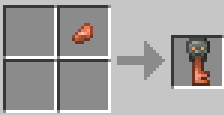

Use
Left-clicking a compatible object with a key binds it. Shift-left-clicking a bound object with a matching key changes its locked state. Access is granted when a matching key is present anywhere in the inventory, including inside a bundle or shulker box.
A bind can be copied directly from a target. While carrying an unwaxed key that already grants access, left-click the target with another unwaxed key. The held key receives the bind. Copper and master keys can both use this operation.
Placing a key in a grindstone removes its binds, wax, and stored credentials. A master key receives a new empty wallet.
Key modification
Waxing
Crafting a key with honeycomb seals that physical key. It retains its current access and can still change a target’s lock state, but it cannot receive or grant new binds, be copied, be merged, or be linked. A grindstone removes the wax while also clearing the key’s credentials.

Linking master keys
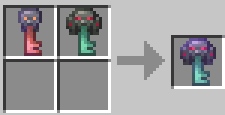
Crafting a bound master key with an empty master key and an ender pearl creates two linked keys that share the same wallet. The original remains and the empty key and pearl are consumed.

Copying and combining master keys
A bound master key and an empty master key produce a new unlinked master key with a copy of the original binds. Copying a linked key does not add the new key to the shared wallet. Two bound master keys can instead be combined into one key containing both sets of binds.
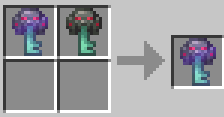
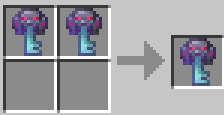
Copper key operations
A bound copper key and an empty copper key produce a duplicate bind. A bound copper key can also be crafted with a master key to move the bind onto the master.
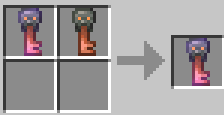
Curse of Vanishing
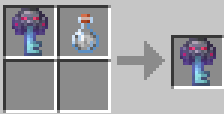
Crafting a key with a drinkable or splash potion of invisibility applies Curse of Vanishing. The key is then destroyed when its holder dies, including when it is stored in a bundle or shulker box.
Protected objects
The system supports doors, containers, beds, lecterns, signs, hoppers, redstone components, crops, item frames, paintings, armor stands, minecarts, boats, and rideable mobs. A key restricts interaction with an entity but does not increase its durability. Entities requiring physical protection must also be reinforced with Citadel.
Ender chest networks
Personal vanilla ender-chest inventories are disabled. An unbound ender chest does not open. Instead, a master key can bind one or more ender chests to a shared inventory associated with that key’s wallet.
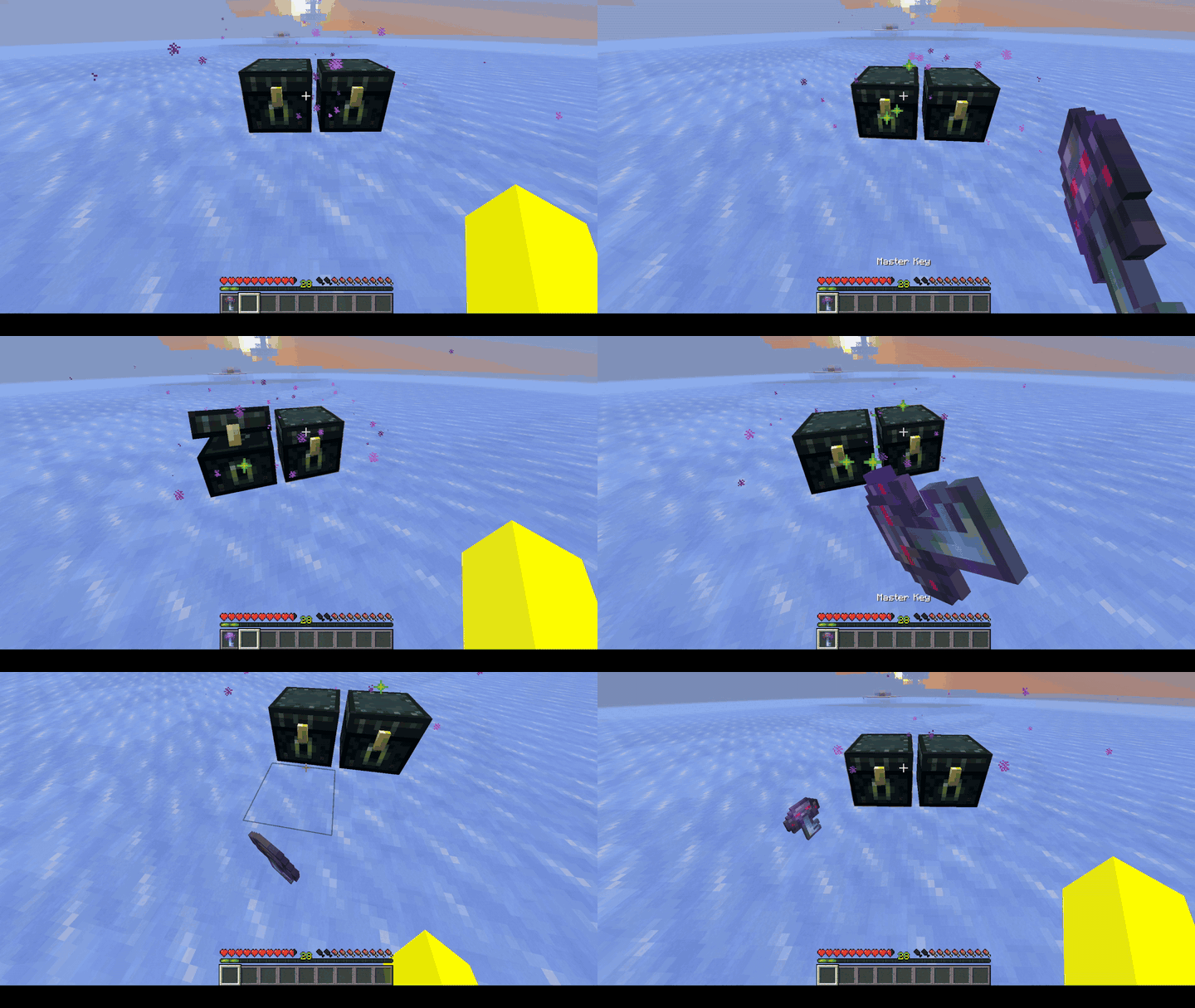
Left-clicking an ender chest with a master key binds it to the wallet. Right-clicking opens the inventory when a matching key is present. Ender chests bound with the same master key, or with linked keys sharing its wallet, access the same contents.
Because each physical key has a unique identity, visually identical keys do not stack with one another. They can nevertheless be stored in bundles and shulker boxes.